LeadBridge
Clip LinkedIn profiles to Notion in one click
The B2B clipper for sales and recruiting — extract name, role, company, and URL, then push them formatted into your Notion CRM. No copy-paste. No tab switching.
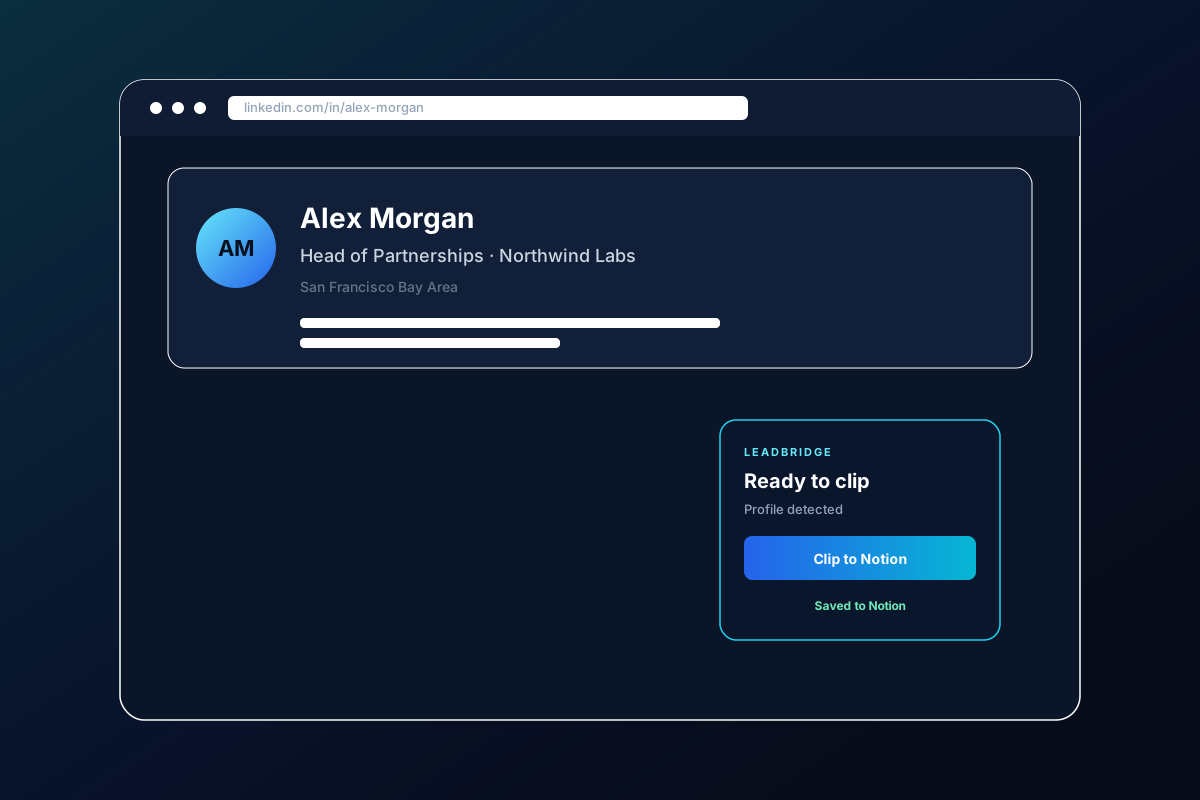
Old way vs. new way
Stop losing time to busywork. Capture every lead without leaving LinkedIn.
The old way
Manual copy-paste
- Copy name, title, company, and URL by hand
- Jump between LinkedIn and Notion tabs
- Fix formatting after every paste
- Lose minutes — and momentum — on every lead
The new way
LeadBridge
- Open the LinkedIn profile
- Click once in LeadBridge
- Lead lands formatted in your Notion CRM
- Keep selling and recruiting without breaking flow
How it works
Three steps from LinkedIn profile to Notion CRM.
Step 01
Connect Notion
Install LeadBridge, sign in, and link your Notion database from the dashboard.
Step 02
Open a profile
Navigate to any LinkedIn profile you want to capture.
Step 03
Clip to Notion
Click once — name, role, company, location, and URL land in your CRM, formatted.
Built for the way you work
Everything you need to capture B2B profiles without friction.
1-click clipping
Open a LinkedIn profile, click once, done — name, role, company, and URL land directly in Notion.
Straight into Notion CRM
Leads and candidates land formatted in your Notion database — no copy-paste.
Built for sales & recruiting
Made for B2B salespeople and recruiters who need to capture profiles quickly and cleanly.
Privacy-first by design
Profile fields are read only when you click. Leads go to your Notion — we do not keep them.
Privacy & security first
LeadBridge only reads profile data when you explicitly click Clip. Your Notion token never lives in the extension. Clipped leads are relayed to your Notion account — we do not keep them as a permanent copy.
- Explicit click only — no background scraping
- Notion API called from our server, not the browser
- Lead content is not permanently stored by us
- Read the Privacy Policy
FAQ
Quick answers before you install.
Yes. LeadBridge is built for LinkedIn profiles. Open a profile, click Clip to Notion, and the fields are sent to your connected Notion database.
Ready to clip your next lead?
Add LeadBridge to Chrome and push LinkedIn profiles into Notion in one click.
Add to Chrome